




Skip to content
Sidedoor
For restaurants

More than a table diary.

Sidedoor connects the parts of a booking that matter to a restaurant: pacing and the table plan, the set menu, pre-orders and deposit for a group, and the guest marketing that brings them back.

6.9%
Cancellations at one restaurant, down from 12.9% after moving to Sidedoor
Read the case study
Why venues like yours switch

Group bookings, pre-orders and deposits, on the booking itself.

  • The whole group on one booking

    The set menu, the pre-order, dietary notes and the deposit sit on the booking with the table, so nothing lives in a separate email or spreadsheet.

  • One guest record across it all

    Events, vouchers, guest messages and marketing work from the same guest profile, so the team sees the whole picture in one place.

  • A partner that answers

    On Managed support, your venue gets a WhatsApp group with the people who build Sidedoor, 24/7. Many venue requests ship within a day. Bigger ones get planned with you.

A full room, paced to your kitchen
Pacing & table planning

A full room, paced to your kitchen

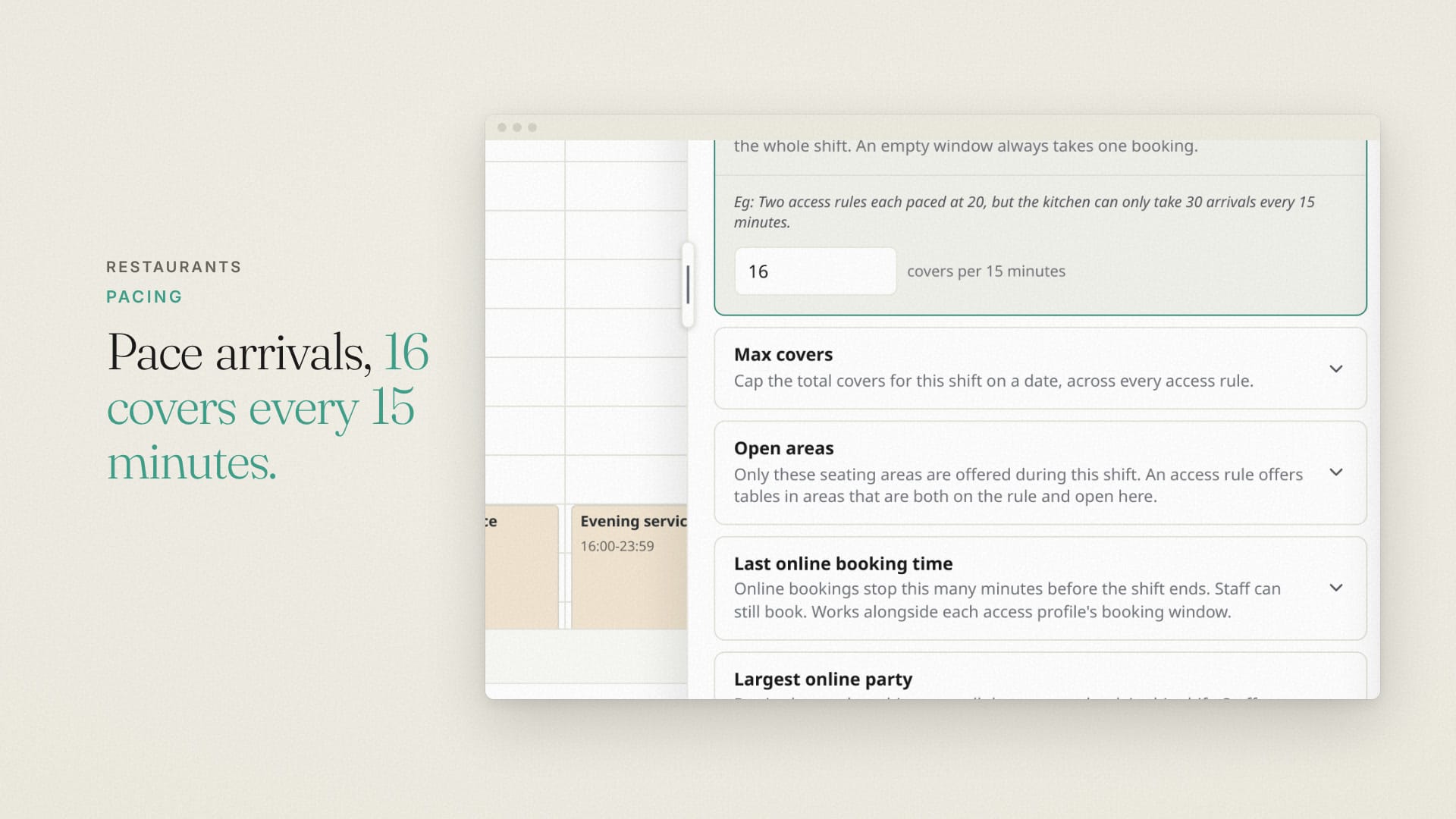
Set pacing, turn times and service limits once per service and the booking flow applies them. The planner finds the best table for each party across the whole day, and a table is held while the guest pays.

  • Pacing, max covers and online cut-offs per shift
  • Whole-day table planning, with the waitlist assigned in one tap
  • Tables held during checkout, with a visible countdown
  • Change a rule for one date or a date range, then it reverts
Groups

Pre-orders and a deposit, taken when they book

Set menus, sharing feasts and drinks packages are chosen at booking or from a link you send later, and the deposit up front or card on file is on the same booking. The kitchen sees the pre-order before the party arrives.

  • Pre-orders required or optional per table type
  • A deposit up front, a card on file or full payment, set per payment policy
  • No-show and late-cancel fees charged automatically
  • Staff request more and the guest approves it in one tap
Guest profiles & win-backs

Know your regulars, bring the lapsed ones back

Every visit, spend, note and preference builds one guest profile the team sees at the table. When a regular goes quiet, a win-back journey invites them back.

  • Visits, spend, allergies and notes on every profile
  • VIP and preference tags, set by hand or by rule
  • Win-back journeys for guests overdue a visit
  • Email, text and push from the same guest record
One booking, start to finish

A party of 12, handled in one place.

One group booking for Friday at 7:30pm, from the first click to the kitchen pass, without an email thread or a spreadsheet.

  1. Monday

    Booked online for 12

    The guest books a table for 12 and picks the set menu in the same booking flow, so the order is on the booking from the start.

  2. Monday

    The deposit, per your policy

    Take a deposit up front, or keep a card on file and charge it only on a no-show or late cancel. Your payment policy decides which.

  3. Wednesday

    Dishes chosen, dietary noted

    You send the pre-order link and the organiser picks the group’s dishes. One coeliac and one vegan are tagged and noted on the booking.

  4. Friday, 4pm

    Now it’s 14

    Staff change the party size and Auto select finds a table combination that fits. The deposit difference is requested from the guest, and two more set menus go on the pre-order.

  5. Friday, 7:30pm

    Kitchen and floor ready

    The kitchen preps from the night’s pre-order list, and the floor sees the pre-order, dietary tags and notes on the booking.

Fewer steps

The everyday jobs, in fewer steps.

  • Take a deposit on a booking
    Take a deposit on a booking 3 taps
  • Move a booking to another table or night
    Move a booking to another table or night 2 steps
  • Send a win-back to lapsed guests
    Send a win-back to lapsed guests 2 taps
Switching

Moving from your current system?

We bring your bookings, guests and set-up across for you. The migration itself is automated and typically takes under an hour, and you’re taking bookings on Sidedoor the same day. Migration is free.

Support

Support that answers during service.

Managed support runs 24/7, in a WhatsApp group we set up for your venue with the Sidedoor team.

See how support works

  • Emergency: first response within 15 minutes
  • High: first response within 1 hour
  • Normal: first response within 4 hours
Integrations

Connects to what you already run.

We build integrations with the systems you already use, at no extra cost, on every plan. Using them follows your plan or add-on. Tell us what you run, whether that’s a till, accounting, rota, CRM or anything else, and we’ll assess it and give you a plan before you commit.

What’s included

More included, on every plan.

What each plan includes. Migration from your current system is free on all three.

Starter

Single-venue operators. Everything you need to open the doors and run the night.

  • Full table reservations suite: waitlist, requests, booking widget, floorplan editor, promo codes, pre-orders
  • Vouchers
  • Events
  • Guest list
  • Sidedoor members community sales channel
  • Self-serve support; 24/7 Managed support as an add-on

See it on a venue like yours.

Request a demo, or send us what you run today and we will tell you what switching involves.